

.svg)
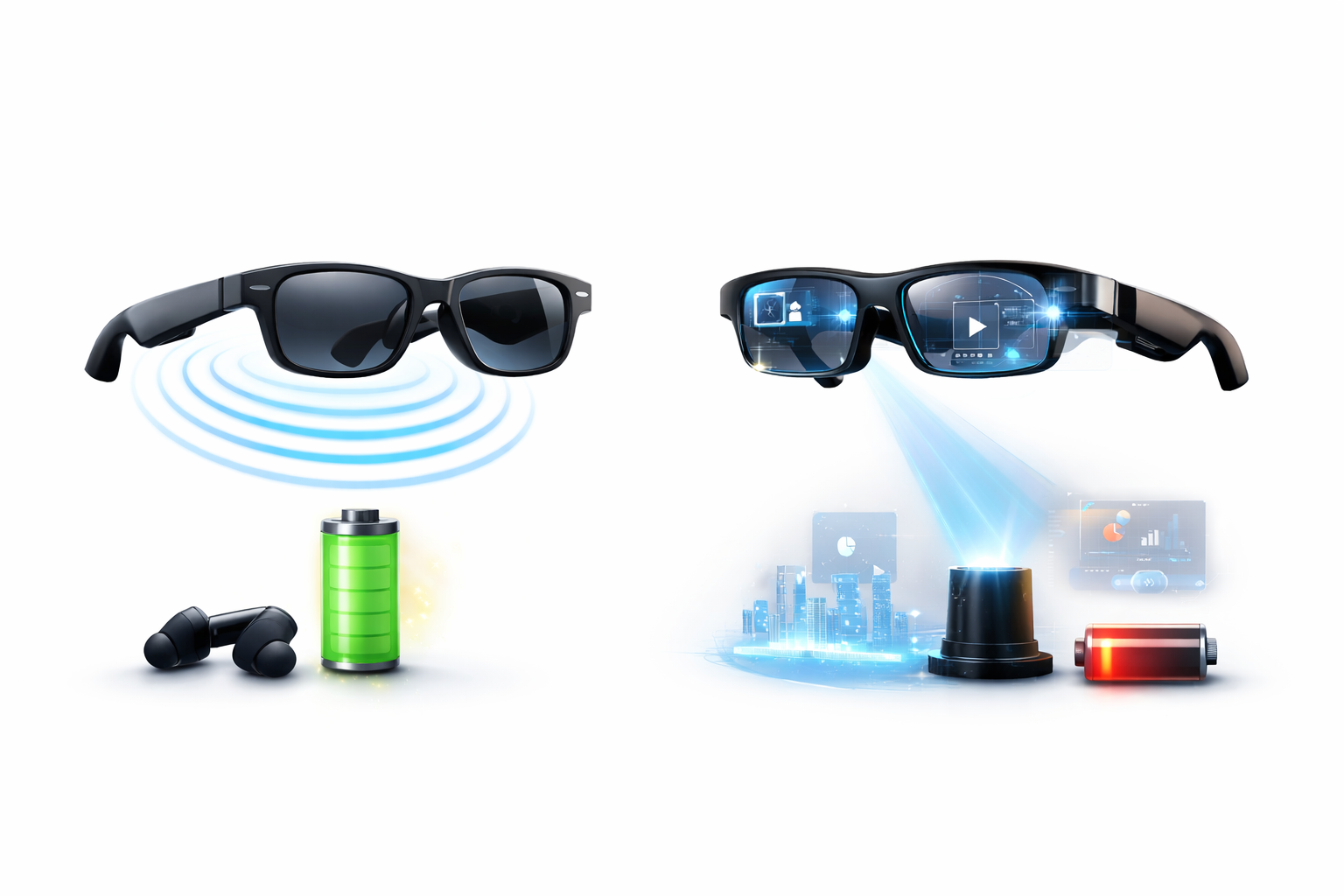
Smart glasses are no longer futuristic experiments—they are practical wearables used for communication, productivity, and everyday convenience. However, buyers often struggle to choose between audio-only smart glasses and smart glasses with display.
While both categories look similar, their features, battery life, comfort, pricing, and real-world use cases are fundamentally different. This guide breaks down the differences clearly, helping you choose the right smart glasses based on how you actually plan to use them.
Audio-only smart glasses are essentially Bluetooth headphones built into eyewear frames.
They do not include a visual display.
- Open-ear directional speakers (not in-ear or over-ear)
- Hands-free calling and music playback
- Voice assistant support
- Lightweight and discreet design
- Long battery life compared to display glasses
Because they do not power a screen or projector, audio-only smart glasses are more energy efficient, making them ideal for all-day use.
Battery Life
Most audio-only smart glasses offer 7–10 hours of real-world usage, depending on volume and connectivity.
Smart glasses with display include micro-displays embedded into the lens that project information directly into your field of view.
- Use optical waveguide technology
- Project small visual overlays (text, icons, navigation prompts)
- Usually monocular (one-eye display)
- Designed for glanceable information, not immersive AR
Common Display Use Cases
- Navigation directions
- Notifications
- Camera previews
- Workflow prompts for professionals
Important: These are not AR headsets. They show limited, task-focused information rather than immersive visuals.
Display & Visual Experience
- Field of view: 10–25 degrees
- Brightness: 500–1,500 nits
- Optimized for text clarity, not video or gaming
Display smart glasses work best indoors or in controlled lighting conditions.
Audio-only smart glasses generally deliver better sound quality because:
- Internal space is optimized for speakers
- No compromises for display hardware
- Better bass and clarity at safe listening volumes
Display smart glasses include audio, but it is typically a secondary feature.
Audio-only smart glasses: 30–45 grams
Display smart glasses: 50–70 grams
Frames above ~55 grams may cause nose bridge and ear fatigue during extended wear.
Some smart glasses with display include cameras for photos and video:
- Typical camera resolution: 5–12MP
- Digital zoom only (no optical zoom)
- Most reputable models include LED recording indicators
Privacy awareness remains an important consideration when using camera-enabled smart glasses.
Choose Audio-Only Smart Glasses If You:
- Want lightweight, all-day wearable tech
- Primarily listen to music or take calls
- Value battery life and comfort
- Prefer subtle technology that blends into daily life
Best for: commuting, workouts, walking, casual daily use
Choose Smart Glasses With Display If You:
- Need hands-free access to visual information
- Work in healthcare, logistics, engineering, or field services
- Can manage shorter battery lifeWant productivity-focused features
Best for: navigation, remote assistance, task prompts, professional workflows
Prescription Lenses & Vision Support
Most modern smart glasses support prescription lenses:
-Typical correction range: –4.00 to +4.00
- Options for blue-light filtering
- Photochromic lenses available on select models
Always verify prescription compatibility before purchasing
Audio-only smart glasses are currently the most practical and mature category.
They offer:
- Better battery life
- Lower cost
- Superior comfort
- Strong audio performance
Smart glasses with display unlock hands-free visual productivity, but still require trade-offs in battery life, weight, and price.
For most users today, audio-only smart glasses deliver better everyday value. Display smart glasses make sense when visual information genuinely improves productivity.
Audio-only and display-equipped smart glasses each bring their own advantages to the table. Audio models shine with their affordable price tags, extended battery life, and lightweight design. These features make them ideal companions that blend into your daily routine. You can use them just like regular headphones while staying aware of what's happening around you.
Display models create an entirely different experience with visual overlays, though they cost much more. You'll see information right in front of your eyes, which opens up possibilities beyond what audio feedback can do. But these advanced features come at a price - the frames weigh more, batteries drain faster, and users need more time to get used to them.
Several practical factors will shape your choice. Your budget might make the decision simple - there's a big price gap between simple audio models and advanced display versions. Your comfort level with new tech matters too, since display glasses need more commitment. Battery life needs should match how long you plan to use them each day.
The way you plan to use them matters a lot. Audio glasses work best for music and calls, while display models prove their worth when you need visual information at hand. Some work environments might justify spending more on display technology if hands-free visual data access boosts productivity.
Smart glasses keep getting better in both categories faster than ever. Today's futuristic features will become commonplace soon enough. These wearable devices mark an exciting shift toward smoother tech integration in our lives - whether through audio alone or with added visual capabilities.
Times of India – Smart Glasses Categories & Trends (Neutral Consumer Tech Reporting)
Forbes – Smart Glasses Design Trade-Offs (Screen vs No-Screen)
CNET – Best Bluetooth Audio Glasses (General Audio Wearables Overview)
Hindustan Times – Factors to Consider When Buying Smart Glasses
Cybernews – Cost Structure & Market Analysis of Smart Glasses
Taylor & Francis – Human Factors in AR Smart Glasses (Peer-Reviewed Study)
Carleton University – Privacy Concerns in AI Smart Glasses
LiveMint – Smart Glasses Market in India (Journalistic Summary)
PMC – Research on Wearable Computing & Visual Interfaces
ScienceDirect – User Experience Metrics in Wearable AR Devices
Nature Digital Medicine – Sensor Accuracy & Cognitive Load in Wearable Devices
IAPP – Privacy & Ethical Implications of Wearable AR Devices

By signing up, you are agreeing to Terms of service and Privacy policy.
You can withdraw consent at any time.
.svg)
.svg)
.svg)

.png)
